Spyder 4.0 Beta 2 Release
Originally published at www.spyder-ide.org (in English)
We are happy to announce the release of Spyder 4.0 Beta 2, the second beta of the next major version of the Scientific Python Development Environment. This release brings significant new features, performance improvements, and bug fixes.
What's New
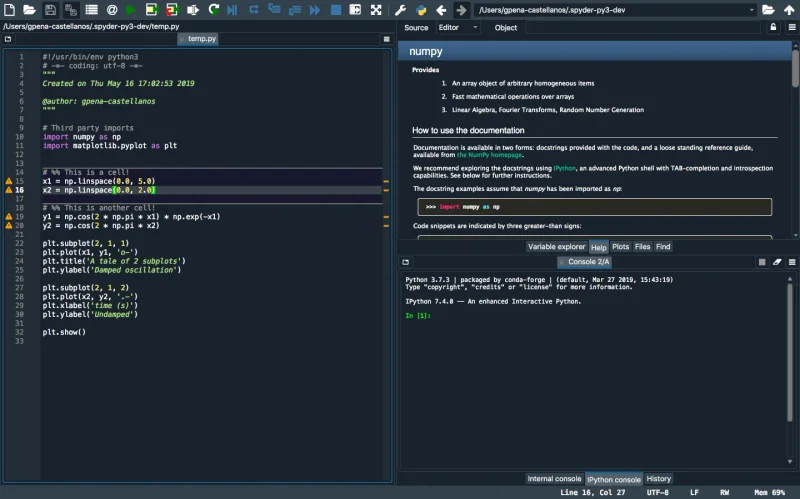
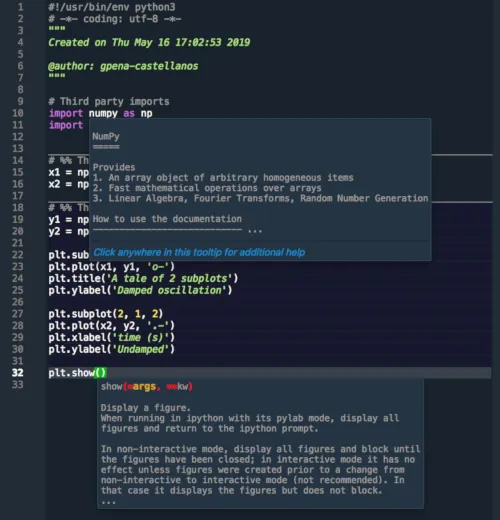
Improved Editor
The editor has received major improvements in this release:
- Code folding — Collapse and expand code blocks for better navigation in large files.
- Indentation guides — Visual guides that make it easier to track nested code structures.
- Improved syntax highlighting — Better support for modern Python syntax including f-strings, type hints, and walrus operator.
- Scrollbar annotations — See warnings, errors, and search results in the scrollbar at a glance.
New Plots Pane
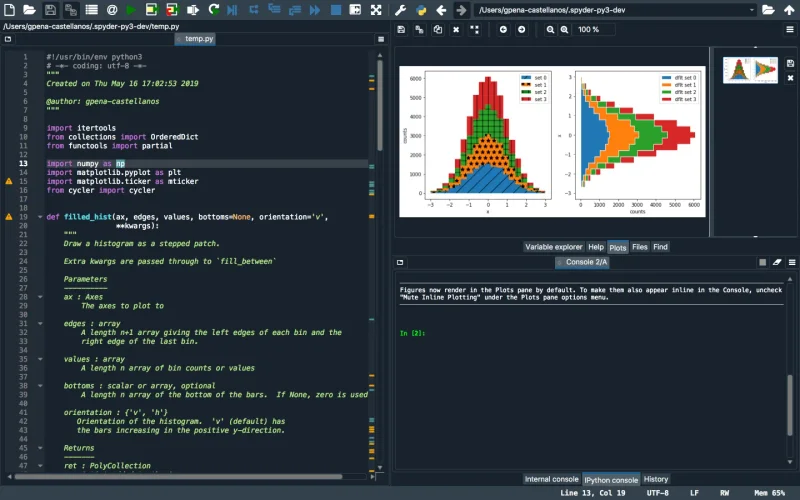
One of the most requested features, the Plots pane is now a first-class citizen in Spyder:
- All Matplotlib figures are automatically captured and displayed in a dedicated pane.
- Browse through your plot history with thumbnails.
- Copy, save, or zoom into any plot without switching windows.
- Supports both inline and interactive backends.
Enhanced Debugger
Debugging in Spyder 4 is now more powerful than ever:
- Variable explorer in debug mode — Inspect variables at any breakpoint without switching contexts.
- Conditional breakpoints — Set breakpoints that only trigger when specific conditions are met.
- Improved call stack navigation — Easily move up and down the call stack to understand program flow.
Files Pane Improvements
- New tree view for project navigation
- Quick file filtering and search
- Drag and drop support for opening files
Performance
We've made significant performance improvements across the board:
- Faster startup — Reduced initial load time by lazy-loading plugins.
- Reduced memory usage — Better memory management in the Variable Explorer, especially for large DataFrames.
- Smoother editor experience — Optimized code analysis and autocompletion for large files.
How to Try It
You can install Spyder 4.0 Beta 2 using conda:
conda install -c spyder-ide spyder=4.0.0b2Or using pip:
pip install --pre spyder==4.0.0b2We encourage all users to try this beta and report any issues on our GitHub repository.
Thank You
A huge thank you to all contributors who made this release possible, including our sponsors and the vibrant Spyder community.