How I Use Claude Code: Meta Repos, Plan Persistence, and Iteration Logs
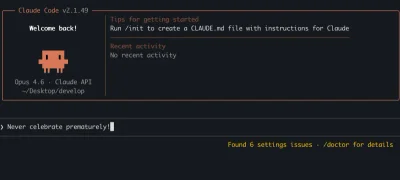
As a software engineer working across multiple projects — from open source contributions at Datalayer to running Trepa, a climbing gym in Bogotá — I've spent the last year making Claude Code an integral part of my daily workflow. This isn't a tutorial or a product review. It's a practical account of the patterns, workarounds, and hard-won lessons from shipping real code with AI assistance.
Why Terminal Over VSCode
Let me get this out of the way: I use Claude Code exclusively from the terminal. The VSCode Claude extension exists, and I've tried it multiple times, but it's still too buggy for my day-to-day work. Crashes, context getting lost mid-session, and UI quirks that break my flow — I kept going back to the terminal every time.
The terminal version is rock solid in comparison. It's fast, predictable, and fits naturally into how I already work — jumping between tmux panes, running dev servers, and managing git. If you're on the fence, start with the terminal. You won't miss the GUI.
The Meta Repo: Shared Context Across Projects
One of the most impactful patterns I've adopted is the meta repo — a workspace-level directory that groups related repositories together with shared context. Gary Sheng wrote an excellent piece on this approach, and I arrived at a very similar setup.
I maintain two meta repos:
- Datalayer meta repo — Groups the VSCode extension, Jupyter tools, SDK packages, and documentation repos side by side
- Trepa meta repo — Groups the business automation tools, chatbots, scraping workflows, review systems, and data analysis repos
Each meta repo has a top-level CLAUDE.md that documents cross-repo relationships, shared conventions, and which repos depend on each other. Individual repos also have their own CLAUDE.md with project-specific architecture and guidelines.
As Gary puts it, the key insight is shared context without coupling. Claude can reason about how a change in one repo affects another without those repos needing to be merged into a monorepo. The AI agent walks into the workspace and immediately understands the landscape.
Where my approach differs slightly from Gary's is that I lean heavily into persisting plans and debugging history (more on this below), while his emphasis is more on shared skills and tribal knowledge documentation. Both matter. The common thread is: if it's not written down, it doesn't exist for the AI.
Saving Every Plan: The claude-plans/ Directory
Every non-trivial feature I build with Claude starts with a plan. And every plan gets saved.
Each of my projects has a claude-plans/ directory at the root. When I ask Claude to plan a feature — a new sidebar component, a chatbot workflow, an API integration — the plan goes into a markdown file in that directory before any code is written.
my-project/
  claude-plans/
    001-sidebar-scroll-spy.md
    002-loom-video-support.md
    003-community-events.md
  src/
  CLAUDE.md
This has several benefits:
- Resumability: When a session runs out of context or I need to pick up work the next day, the plan file is right there. I point Claude at it and say "continue from this plan" and we're back on track.
- Accountability: I can review what was planned versus what was actually implemented. Drift happens, and having the plan on disk makes it visible.
- Team knowledge: Even on solo projects, future-me is a different person. The plans directory becomes a decision log — why did we choose this approach over that one?
The Iteration Log: Debugging Hard Bugs with Markdown
This is probably the most unusual part of my workflow, and it's the one that's saved me the most time.
When I hit a hard bug — something that doesn't get fixed on the first or second try — I immediately tell Claude to create a markdown file to track all attempts. The format is simple:
# Bug: [Description]

## Attempt 1

- What we tried: [approach]
- Result: [what happened]
- Why it failed: [analysis]

## Attempt 2

- What we tried: [different approach]
- Result: [what happened]
- Why it failed: [analysis]

...
This was absolutely essential when working with Claude 3.5 and 4.5 models. Without this file, Claude would frequently circle back to approaches that had already been tried and failed. The model would confidently propose the exact same fix it had suggested three attempts ago, having lost that context in the conversation.
I once had a bug that took 27 iterations to fix using this approach. Twenty-seven. Each attempt was logged, each failure analyzed, and each new attempt built on the accumulated knowledge of what didn't work and why. Without the iteration log, I'm convinced we would have been stuck in an infinite loop of the same 4-5 approaches.
The newer Claude 4.6 models (Opus and Sonnet) need this pattern much less frequently. They're noticeably better at retaining context about failed approaches within a session. But they come with their own quirk: they tend to overthink. Where a 4.5 model would jump straight into a fix (sometimes the wrong one), a 4.6 model will go through an extended internal monologue — reasoning through edge cases, considering alternatives, almost having a philosophical debate with itself — before arriving at a solution. The solutions are usually better, but the wait can be longer.
I still create iteration logs for anything that goes past 3 failed attempts, regardless of the model. It's cheap insurance.
CLAUDE.md: The Project's Constitution
Every project I work on has a CLAUDE.md file at the root. The metarepo also has one! This is the single most important file for AI-assisted development. It's the first thing Claude reads when entering a project, and it shapes every interaction.
Mine typically include:
- Tech stack and versions — React 19, not React 18. Tailwind v4, not v3. These details matter for code generation.
- Project structure — Where things live, what the naming conventions are
- Commands — How to build, test, lint, deploy. Claude should never have to guess.
- Key conventions — "We use TanStack Router, not React Router." "Dark mode uses data-theme attribute." "Translations go in src/i18n/."
- What NOT to do — "Don't create documentation files unless asked." "Don't add emojis." "Don't auto-commit."
The anti-patterns section is just as important as the patterns. Without explicit boundaries, Claude will helpfully "improve" things you didn't ask it to touch.
Looking Forward
AI-assisted development is moving fast. The jump from Claude 3.5 to 4.5 to 4.6 has been substantial — not just in code quality but in the model's ability to maintain context, understand project architecture, and avoid repeating mistakes.
The meta repo pattern, plan persistence, and iteration logging are the three practices that have had the biggest impact on my productivity. They're not glamorous. They're just markdown files in the right places. But they turn an AI assistant from a smart autocomplete into a genuine collaborator that can pick up where it left off and learn from its own mistakes.
If you're using Claude Code and haven't adopted these patterns yet, start with the CLAUDE.md file. Everything else follows from there.